If you’ve started reading about Making Tax Digital, you’ve probably come across MTD bridging software and wondered whether it’s yet another thing you need to buy. It’s actually the piece that lets you keep using Excel, so it’s well worth understanding properly.
What MTD bridging software actually is
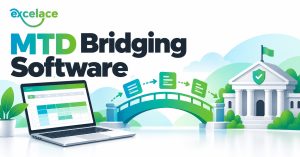
Bridging software does one job. It takes the figures from your spreadsheet and sends them to HMRC digitally. That’s it. Your bookkeeping still lives in your spreadsheet, and the bridging software is simply the link between your file and HMRC.
HMRC’s own position is that if you keep your records in a spreadsheet, you can carry on doing that, but you’ll need software that links to your spreadsheet to make the submission. The Low Incomes Tax Reform Group puts it nicely too: you can use a spreadsheet, but on its own it won’t be enough, it needs to be linked to compatible software.
Why HMRC needs a digital link
Making Tax Digital is built around figures moving digitally from your records to HMRC, without anyone retyping them along the way. HMRC call this a digital link. Typing your totals from a spreadsheet into an online form by hand breaks that link, which is exactly why bridging software exists.
Top Tip: the key word is DIGITAL. Copying figures from one place to another by hand isn’t a digital link, so set your spreadsheet up so the totals calculate themselves and flow through.
A simple example
Say your income and expenses are listed in Excel with the date in column A, the category in column B and the amount in column C. Your quarterly total for one category is a single formula, here’s sales for the first quarter of the tax year:
=SUMIFS(C:C,B:B,”Sales”,A:A,”>=”&DATE(2027,4,6),A:A,”<=”&DATE(2027,7,5))
Because the total is calculated, not typed, it’s part of your digital record. The bridging software reads those totals and sends them to HMRC. You never retype a number.
That’s the whole idea behind the ACE range, all of those quarterly totals are already built in, so you don’t need to write a single formula yourself.
Do you need MTD bridging software?
If you’ll be using Making Tax Digital for Income Tax and you want to keep your bookkeeping in Excel, then yes. You’ll use it for each quarterly update and for your final return at the end of the year.
If you’d rather move everything into a full online accounting package, those do the submitting themselves. But you’re then paying a monthly subscription for as long as you use it, and your records live on someone else’s platform rather than in a file you own. I’ve compared the two in why you can still use Excel for Making Tax Digital.
How it works with ACE
Every ACE product prepares your quarterly figures inside Excel. When it’s time to submit, the bridging software reads those figures and sends them to HMRC. You manage your bookkeeping in ACE, the bridging software handles the submission, and you keep the simplicity of a spreadsheet you actually understand.
The bridging software I recommend to my ACE customers is My Tax Digital (it’s FREE). Whichever provider you choose, always check it’s on HMRC’s own list of software compatible with Making Tax Digital for Income Tax first.
4 things to check before choosing bridging software
- It’s listed on HMRC’s software finder for Making Tax Digital for Income Tax.
- It supports the income you have, self employment, property, or both.
- It handles both the quarterly updates AND the final end of year return.
- You’re clear on the price, including anything that renews each year.
Questions I get asked about bridging software
Does bridging software do my bookkeeping? No. It only sends the figures. Your bookkeeping still happens in your spreadsheet, which is why the spreadsheet needs to be accurate.
Will I need it for VAT too? If you’re VAT registered and keep your VAT records in Excel, yes, you’ll need bridging software for your VAT returns as well. ACE Complete prepares those VAT figures for you.
Is it hard to set up? Not usually. It’s a one time connection to your HMRC account, then each submission is a few clicks.
If you’re earning over £30,000 from self employment or property, Making Tax Digital applies to you from April 2027, I’ve explained what that means and what to do now. And if you’d like to see how ACE and bridging software work together, book a FREE Bookkeeping Demo and I’ll show you.